

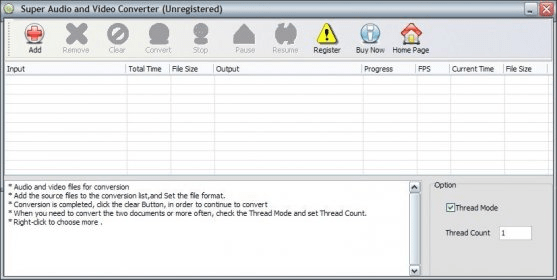
Super Audio and Video Converter is a tool that allows you to convert audio and video files. To add a file to the list, click in the "Add" button. The window "Output Options" will appear. You have to select an output format, audio sample rate (auto, 8000, 11025, 22050, 44100), bit rate (200-1000 kbps), audio bit rate (64 - 320), video frame rate (auto, 128x96 to 1920x1080) , audio channel (auto, mono or stereo), audio encoder (auto, AAC, AC3, FLAC, MP3), video encoder (auto, xvid, x264), and output folder. The output formats allowed are VCD, AVI, MOV, RM10, M1V, MP2, SVCD, FLV, MP4, RM20, M2V, MP3, DVD, iPod, OGG, SWF, AAC, WAV, 3GP, MKV, PSP, WMV, AC3, and WMA. After selecting the desired options click in the "OK" button to return to the main window and you will see the file in the list. To convert more than one file you have to mark the "Thread Mode" option and set the thread count. After having all the files you wish to convert click in the "Convert" button. The window below will show all the log of the actions made.





Comments